Join SDM

Independent FAQ hub

SugarDaddyMeet FAQ: Answers Before You Join or Use SDM

SugarDaddyMeet FAQ Before You Join

This independent FAQ guide is not an official SugarDaddyMeet page. It collects the questions new and returning users most often ask before signup, login, profile setup, app use, messaging, premium access, Certified Sugar Daddy verification, safety checks, reviews and account settings.

The goal is practical clarity, not fake claims or guaranteed results. Use this page to find fast answers, then confirm account-specific details inside the official SugarDaddyMeet site when billing, verification or support action is involved.

Disclaimer: SugardaddyMeetReviews.com is an independent review website. We are not affiliated with SugarDaddyMeet.com. Some outbound links may be sponsored.

General SugarDaddyMeet Questions

Start here if you are comparing SugarDaddyMeet with broader dating platforms or trying to understand what kind of user experience to expect.

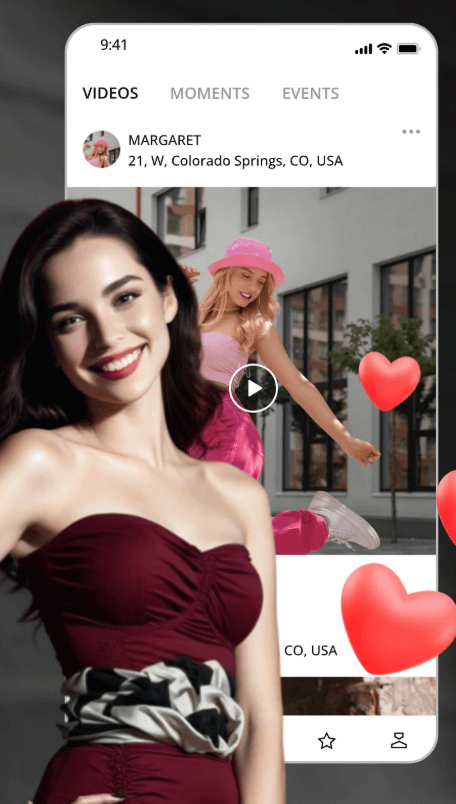
SugarDaddyMeet questions and profile browsing overview

What is SugarDaddyMeet?

SugarDaddyMeet is a niche dating site for adults interested in sugar dating. It focuses on profiles, search filters, verification, privacy tools and messaging features that fit this dating style. This FAQ is independent, so it summarizes how the platform works without making official promises about results.

Is SugarDaddyMeet an official dating site?

Yes, SugarDaddyMeet is an operating dating website with its own signup, login, app access, support and account tools. This page is not owned by the platform. Use it as a plain-English guide, then rely on the official website for current rules, billing actions and support decisions.

Who uses SugarDaddyMeet?

The site is used by adult sugar daddies, sugar babies, sugar mommies and sugar boys who want a more focused dating environment. Members often value privacy, direct intentions and profile screening. User quality varies by location, so strong filters and careful reading still matter.

Is SugarDaddyMeet only for sugar daddies and sugar babies?

The platform is mainly known for sugar daddies and sugar babies, but it also includes users who identify as sugar mommies or sugar boys. The key point is that members should understand the platform rules and avoid treating it like an adult-service marketplace.

Is SugarDaddyMeet available internationally?

SugarDaddyMeet can be accessed in multiple locations, but user activity and feature availability may vary by country, city, device and current platform policy. Before paying for premium, browse your area and check whether enough active, complete and relevant profiles appear nearby.

Is SugarDaddyMeet free to join?

Users can usually create an account and explore basic access for free. Free access is better for learning the site and checking local profiles. Active communication, advanced filters or visibility tools may require premium, so review the current official plan details before upgrading.

Is SugarDaddyMeet suitable for beginners?

It can work for beginners who take time to understand profile setup, safety habits, messaging limits and verification. New users should avoid rushing, posting private contact details, using fake information or expecting instant results. A complete profile usually performs better than a rushed one.

What makes SugarDaddyMeet different from general dating apps?

SugarDaddyMeet is more focused on sugar dating, while broad apps mix many dating goals. Useful differences may include advanced search, verification signals, privacy controls, winks, private messages, chat rooms and Certified Sugar Daddy credibility features. Still, personal judgment remains essential.

SugarDaddyMeet Signup and Account Creation FAQ

The basic getting-started flow is usually: create an account, upload a photo, complete your profile, verify if required, wait for approval and then browse members.

How do I sign up for SugarDaddyMeet?

Go to the official website and choose Sign Up or Join Free. Select your role and basic details, add age, city-level location and email, then create a password. After that, complete your profile text, upload a clear photo and follow any email or account verification prompts.

What information do I need during signup?

You may need a role, gender or dating preference, age, location, email address, password, headline, bio and profile photo. Use accurate basic details. Do not use fake age, stolen photos or a false identity, because profile approval and later trust depend on consistency.

Should I use my real name on SugarDaddyMeet?

You should be honest with account basics, but you do not need to publish your full legal name in your public profile. Avoid adding phone numbers, personal email, WhatsApp, Telegram, workplace, exact address or other private contact details in your bio.

Do I need a profile photo to join?

A clear photo is strongly recommended and may be required for profile review or verification. Profiles without photos often receive fewer replies and can look less trustworthy. Use a real, current photo with good lighting, not a copied image or a heavily filtered picture.

Why does my new profile need approval?

Profile approval helps the platform review new accounts for quality, policy issues and basic authenticity. It can reduce spam, fake photos and profiles that include banned contact details. Approval does not guarantee safety, but it is one layer in the site experience.

How long does profile approval usually take?

Approval timing can vary by workload, profile quality and whether your photos or text need manual review. Check official notices inside your account for the current estimate. If approval is delayed, avoid repeatedly creating new accounts; review your profile details first.

Can I change my profile details after signup?

Most profile details can usually be edited from account or profile settings, but some core information may require support review. Keep edits consistent. Frequent changes to age, location, identity details or photos can make a profile look less reliable.

Why was my signup rejected or delayed?

Possible reasons include unclear photos, incomplete text, fake-looking details, age or location problems, banned contact information, policy language or duplicate accounts. Read any notice from the site, correct the issue and contact support if the reason is unclear.

Can I create more than one account?

Creating multiple accounts is usually a bad idea. Duplicate profiles can look suspicious, split your messages and cause approval or access problems. If you cannot access an old account, use password reset or support instead of starting several low-quality profiles.

What should I do before clicking Join?

Prepare a private email, strong password, clear photo and short bio. Read the rules, understand free versus premium limits and decide what privacy boundaries you want. Do not join expecting guaranteed replies or instant offline dates; quality and patience matter.

SugarDaddyMeet login and mobile access screen

SugarDaddyMeet Login and Access FAQ

Login problems are often caused by email spelling, password mistakes, verification codes, inactive accounts, browser settings or repeated failed attempts.

How do I log in to SugarDaddyMeet?

Open the official login page, enter the email linked to your account and type your password. If the site offers a code or identity check, follow the prompt. Avoid login links from unknown emails, ads or messages that could lead to phishing pages.

Why cannot I log in to my SugarDaddyMeet account?

Check email spelling, password accuracy, browser autofill and whether Caps Lock is on. If login still fails, use Forgot Password instead of guessing repeatedly. Too many failed attempts may create a temporary lock or trigger extra verification.

What should I do if I forgot my password?

Use the Forgot Password option on the official login page. Enter your account email and check the inbox, spam and junk folders for reset instructions. Choose a new password you do not reuse on banking, work or other dating accounts.

Why does SugarDaddyMeet ask for a verification code?

A verification code can help confirm that the login attempt belongs to you. The code may arrive by text or email, depending on the account settings and official options. Enter the code carefully and wait before requesting a new one.

What should I do if I do not receive the code?

Wait a few minutes, then check spam, junk, promotions and blocked sender settings. Confirm that your phone number or email is still active. Do not request many codes in a row. If nothing arrives, contact official support.

Why does my login session expire?

Sessions can expire for security, inactivity, browser cleanup, app refresh, password changes or login from another device. If this happens often, update your browser, clear old cookies and make sure your device clock and network are stable.

Can I stay logged in on my phone?

You may be able to stay logged in on a personal phone, but it is safer only if the phone is locked with a passcode or biometric protection. On shared devices, log out every time and avoid saving passwords.

Is Keep Me Logged In safe to use?

It can be convenient on a private device, but it is risky on public computers, shared phones or work devices. If someone else can access the device, they may see your account. Use it only when device privacy is strong.

Why was my account locked after failed attempts?

Repeated wrong passwords can look like account takeover activity. A temporary lock protects the account. Stop guessing, use password reset and wait for the lock period or support guidance. Make sure your email account is also secure.

Can login from multiple devices cause issues?

Multiple devices can sometimes trigger extra checks, session expiry or security prompts, especially if locations change quickly. Use your own devices, keep browsers updated and avoid logging in from public computers or unfamiliar networks.

What should I do if my account is inactive?

An inactive account may need reactivation, support help or review of account rules. Try password reset first, then check email notices from SugarDaddyMeet. If the account was closed or restricted, contact support rather than opening duplicates.

How can I contact support for login problems?

Use the official support or help link from SugarDaddyMeet. Provide the account email, device type, browser, error message and approximate time of the issue. Do not send your password. Support never needs your full password to help.

Profile Verification and Certified Sugar Daddy FAQ

Verification helps build trust, but it should only happen inside the official platform flow. Never send ID, bank statements, tax returns, passport images, income proof or selfie videos to another member through private chat.

What is profile verification on SugarDaddyMeet?

Profile verification is a trust process that may check whether photos, identity or account details appear authentic. It can help reduce fake profiles and increase confidence before messaging. Verification is useful, but it does not replace careful communication or safety screening.

Do I need to verify my profile?

You should verify if the option is available and you want more credibility. Verified profiles often look more serious because the user completed extra steps. Some features or visibility benefits may depend on current platform rules.

How do I verify my photo?

Official guidance may direct users to a Verify My Photo area, where they upload or record what the platform requests. Follow the on-screen steps, use clear lighting and make sure your face matches your profile photo.

Why does SugarDaddyMeet ask for a selfie video?

A selfie video can confirm that a real person is behind the profile. Official guidance has described short videos that show the face clearly and match the profile picture. It helps reduce stolen-photo profiles, though it cannot guarantee every user is trustworthy.

What makes a verification video fail?

Failure can happen if the video is blurry, too dark, too short, too long, heavily filtered, mismatched with the profile photo or not showing the requested action. Use a neutral background, steady camera and clear face view.

What is a verified member?

A verified member is someone who completed the platform's current verification process. It usually means the profile has stronger authenticity signals than an unverified profile. Still, verified status is not a full background check and does not guarantee compatibility.

What is Certified Sugar Daddy?

Certified Sugar Daddy is a credibility badge mainly for male sugar daddies who complete higher-level checks. It may involve income verification, asset proof and identity review. The badge can improve trust before a conversation, but it is not a safety guarantee.

Who can apply for Certified Sugar Daddy?

Official guidance has described the feature as mainly for male sugar daddies, often with premium membership and qualifying income or net worth details. Current eligibility can change, so applicants should check the certification page inside their account.

What income proof may be required?

Possible proof may include a CPA statement, bank statement, personal tax return, income statement, asset documentation or other requested files. Guidance has referenced income above USD 200,000 or net assets above USD 500,000, but users should verify current thresholds.

Is Certified Sugar Daddy a safety guarantee?

No. It is a credibility signal, not complete protection. A badge does not prove kindness, chemistry, offline safety or rule compliance in every conversation. Sugar babies should still review profiles, stay on-site first and report suspicious behavior.

Can sugar babies verify their profiles too?

Yes, sugar babies may be able to complete normal profile verification depending on current platform rules. That is different from Certified Sugar Daddy status, which is mainly tied to male sugar daddy credibility and financial capability checks.

Should I send verification documents to another member?

No. Never send ID, passport images, tax returns, bank statements, income proof or selfie videos to another member. Verification should happen only through the official platform flow. If someone asks privately, block or report when appropriate.

SugarDaddyMeet Features and Functions FAQ

Features can help you browse faster, communicate with more context and protect privacy, but every tool still depends on your judgment.

SugarDaddyMeet search filters and profile features on mobile
FeatureWhat It DoesBest ForSafety Note
Advanced SearchFilters profilesSerious browsingStill read full profiles
WinksLow-pressure signalFirst contactFollow with real message
MessagesPrivate communicationReal conversationStay on-site first
Chat RoomsGroup discussionSocial discoveryDo not share private info
Anonymous BrowsingPrivacy controlDiscreet browsingDo not misuse anonymity
Private AlbumsPhoto controlSelective sharingScreenshots are still possible

What features does SugarDaddyMeet offer?

Common features include profile creation, search filters, verified profiles, winks, private messages, chat rooms, privacy controls, support, app-style mobile access and premium tools. Exact access can vary by membership level and current platform rules.

What is Advanced Search?

Advanced Search helps narrow profiles by details such as location, age range, activity, photos, verification, lifestyle and interests. It saves time, but it should not replace reading the full profile and checking whether details feel consistent.

How do search filters work?

Filters reduce the profile list based on selected criteria. Start broad by city, then narrow by recent activity, photos or verification. If results become too limited, remove one filter at a time instead of assuming there are no suitable profiles.

What are winks?

Winks are low-pressure interest signals. They are useful when you want to test whether someone may respond before writing a full message. A wink alone is rarely enough; follow with a thoughtful message if the person seems active.

What is a private message?

A private message is one-to-one communication inside the platform. It is better for asking profile-based questions, discussing expectations respectfully and building trust before sharing outside contact details. Premium access may affect who can start messages.

What are chat rooms?

Chat rooms are group areas where members may interact around broader topics. They can help you observe community tone before private messaging. Do not post phone numbers, exact location, work details or sensitive personal information in a room.

Can I create a chat room?

Availability can depend on current platform rules and membership level. If the option appears, create rooms that follow site policy and keep discussion respectful. Do not use rooms to collect off-site contact details or pressure members.

What is anonymous browsing?

Anonymous browsing is a privacy feature that may let you view profiles with less visibility. It can help discreet users, but it should not be used to harass or bypass rules. Privacy tools work best with respectful behavior.

What is anonymous chat?

Anonymous chat can reduce exposure during early communication. It does not make unsafe behavior acceptable. Avoid sending sensitive information, images with location clues or anything you would regret if saved by the other person.

Can I hide my profile?

Hiding a profile may make it less visible while preserving account data, depending on current settings. It is useful for breaks. Hiding is not the same as deleting an account or canceling billing, so review settings carefully.

Can I see who viewed my profile?

Profile-view information may be available as a feature or premium benefit depending on current rules. It can help you identify interested members, but do not overread views. Many people browse before deciding whether to message.

Can I manage private albums?

Private albums can help control photo access, but they are not perfect privacy protection. Share only with users you trust, and remember screenshots or secondary devices may still capture images. Avoid photos that reveal addresses or workplaces.

What does live support mean?

Live support generally means the platform offers help channels for account, billing, safety or technical issues. Response speed and availability can vary. Use official support for login trouble, suspicious behavior, verification problems and account settings questions.

Which features may require premium access?

Premium may unlock stronger messaging, advanced filters, visibility tools, privacy options or profile benefits. Exact features can change, so compare free and premium inside the official account area before paying. Upgrade only after checking local member activity.

Messages, Winks and Chat FAQ

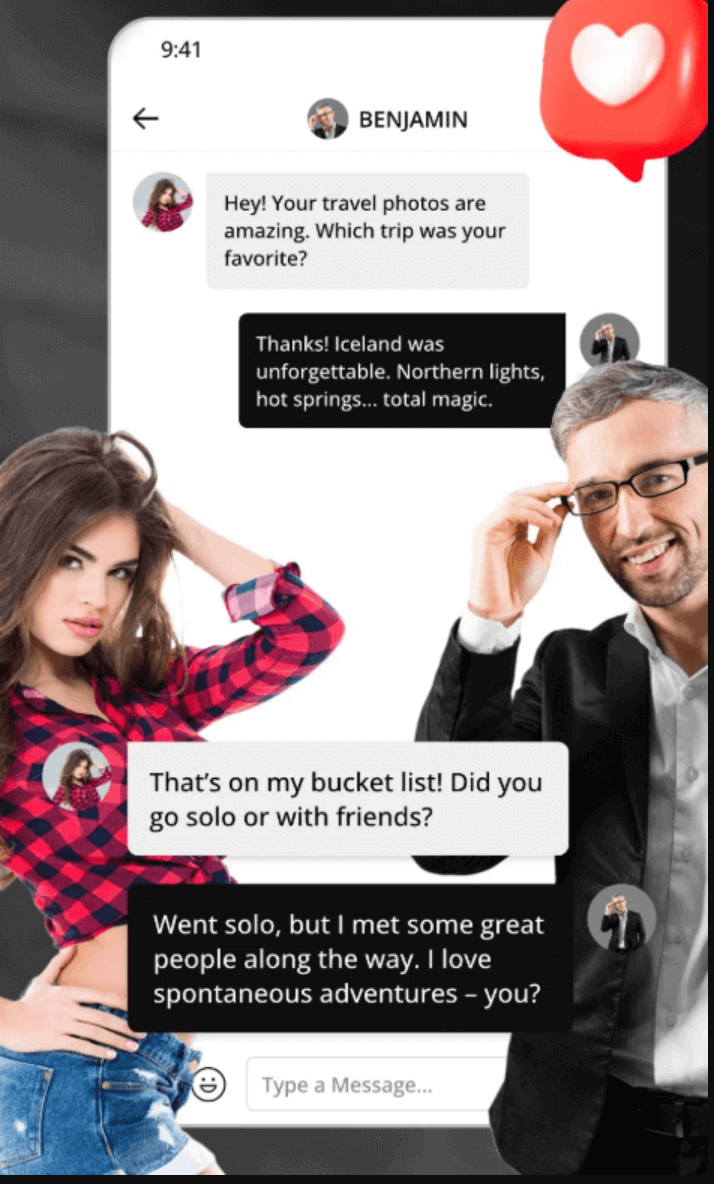
Better communication usually starts with a complete profile, a calm opener and a decision to stay on the platform until trust improves.

How do I start a conversation on SugarDaddyMeet?

Complete your profile first, then browse members and choose someone whose bio, photos and activity look consistent. Send a wink for light interest or a direct message if premium access allows. Mention something specific from the profile.

Should I send a wink or a message first?

A wink is fine for a low-pressure start. A message is better when you want a real reply. If you message first, keep it respectful and specific. Do not open with money, sexual pressure or outside contact details.

Can free members send messages?

Free messaging access may be limited. Premium members often have stronger direct communication options. Free users can usually explore profiles and learn the site first, but active messaging may require a paid plan under current rules.

What should I write in my first message?

Use a short, profile-based opener. For example: "Your profile feels thoughtful. What kind of connection do you enjoy building here?" Or: "I noticed we both value privacy and clear communication. How has your experience been so far?"

Why am I not getting replies?

Common reasons include incomplete profile, poor photos, generic messages, inactive recipients, distance, unclear expectations or free-account limits. Improve photos, verify if possible, write a better bio and message recently active profiles with personal openers.

How do I move from public chat to private message?

View the person's profile first, read the bio and check photos or verification. If the profile feels consistent, send a polite private message that references the chat topic. Do not pressure someone to leave the platform quickly.

What is private chat?

Private chat is direct conversation between two members. It is where you can ask better questions about lifestyle, schedule, interests, privacy boundaries and comfort level. Keep the tone respectful and avoid messages that sound copied or transactional.

Can I use voice chat or video chat?

Voice or video options may be available depending on membership level and current platform features. Use them after some text conversation, not as the first demand. A short call can help confirm real-time presence before meeting.

When should I request a voice or video call?

Ask after the conversation has been consistent and both people seem comfortable. Explain that a short call helps confirm identity before planning anything offline. Keep your background private and end the call if the other person pressures you.

What should I avoid saying in messages?

Avoid copy-paste lines, crude comments, adult-service wording, money-first demands, threats, private contact pressure and requests for documents. Do not send your phone number, email or messaging app handle in the first message.

Why should I stay on the platform first?

On-site messages preserve more context for safety tools and support review. If someone immediately pushes you to another app, slow down. Staying on-site first gives you time to check consistency, profile quality and red flags.

How do I report bad behavior in chat?

Use the report or block option on the profile or conversation when available. Save relevant details, avoid arguing and stop sharing information. Report harassment, scams, fake identity clues, money requests, underage claims or rule-breaking behavior.

SugarDaddyMeet App and Mobile FAQ

App availability may change. Always follow the official mobile page before installing anything, especially APK files.

SugarDaddyMeet mobile app and browser access

Does SugarDaddyMeet have an app?

SugarDaddyMeet offers mobile access, but the exact app method can change. Current guidance has described iPhone access through a Safari Home Screen web app and Android access through an official APK flow. Check the official app page first.

Is SugarDaddyMeet available on iPhone?

Official guidance has described iPhone access as a Safari web app rather than a regular App Store download. Because app policies can change, confirm the current iPhone instructions on the official SugarDaddyMeet app page before setup.

How do I add SugarDaddyMeet to my iPhone home screen?

Current instructions have been to sign in or join in Safari, tap the Share icon, choose Add to Home Screen and then tap Add. Use Safari and the official site. Avoid third-party instructions that ask for extra downloads.

How do I download SugarDaddyMeet on Android?

Current Android guidance has described logging in, tapping the profile icon, choosing Install Our App Now and selecting Download APK. Use only the official platform path. Do not download APK files from random websites or file-sharing pages.

Is the SDM APK safe to install?

An APK should only be considered from the official SugarDaddyMeet path. Third-party APK websites can include outdated, modified or unsafe files. If your device warns about the file, confirm the source and review official instructions before continuing.

Can I use SugarDaddyMeet without downloading the app?

Yes, mobile browser access can be enough for many users. It is useful if you do not want to install anything or if app access changes. Protect saved passwords, avoid shared phones and log out when privacy matters.

What can I do on mobile?

Mobile is useful for quick replies, winks, checking profiles, editing privacy settings and reviewing notifications. Desktop is usually better for writing a polished bio, comparing long profiles, managing billing and carefully reviewing safety settings.

Why cannot I find the iPhone app in the App Store?

The official iPhone method may not be a standard App Store app. If you cannot find it, check the official SugarDaddyMeet app page for the latest Safari Home Screen instructions. Avoid lookalike apps with unclear publishers.

Why is the Android APK not installing?

Possible causes include blocked unknown-source settings, outdated Android version, incomplete download, storage limits or a file from the wrong source. Recheck the official instructions and source. Do not bypass warnings for files from random APK websites.

Should I use the app or desktop website?

Use mobile for quick communication and desktop for careful setup. If privacy is sensitive, turn off notification previews, avoid shared devices and do not save login details on phones other people can access.

Premium, Subscription and Account Settings FAQ

Free access can help you explore. Premium may improve communication and filters. Account deletion, profile hiding and billing cancellation are separate actions.

Is SugarDaddyMeet free?

Signup and basic browsing may be free, depending on current rules. Free access is best for checking local activity, profile quality and site layout. Serious messaging and advanced tools may require premium.

What can free members do?

Free members may be able to create a profile, upload photos, browse some profiles and send basic interest signals. Limits can change, so check your account page. Use free access to decide whether premium makes sense in your location.

What does premium unlock?

Premium may unlock direct messaging, advanced filters, visibility features, privacy tools, profile benefits or other communication options. The exact list can change. Read the current plan comparison before paying, especially if one feature matters most to you.

Is premium worth it?

Premium can be worth it if your area has active profiles and you plan to message seriously. It may not be worth it if your profile is incomplete, your photos are weak or local activity is low. Browse first.

Can premium help with messaging?

Yes, premium often improves messaging access, especially for starting conversations. It does not guarantee replies. Better results still depend on profile quality, verification, respectful openers, recent activity and realistic expectations.

Can premium improve profile visibility?

Some premium tools may improve profile visibility or browsing power, depending on current features. Visibility helps only if the profile is worth viewing. Add clear photos, a mature bio and accurate details before paying for extra exposure.

How do I check when my subscription expires?

Look in membership, billing or account settings after logging in. If you paid through a mobile platform or payment provider, also check that account. Save confirmation emails so you can compare renewal dates if there is confusion.

Does deleting the app cancel my subscription?

No. Deleting the app is not the same as canceling a subscription. You must cancel auto-renewal through the correct billing path before deleting an account or app. Otherwise, recurring billing may continue.

How do I cancel auto-renewal?

Go to official membership or billing settings and follow the cancellation path shown there. If payment was handled through another provider, cancel from that provider too. Keep screenshots or emails confirming the cancellation.

Can I get a refund after deleting my account?

Refund rules depend on the official terms, payment provider and timing. Deleting an account does not automatically create a refund. Cancel billing first, read the refund policy and contact support with payment details if needed.

How do I hide my profile temporarily?

Use profile visibility or hide-profile settings if available. Hiding is temporary and may preserve photos, messages and connections. It is useful for a break, but it is not the same as deleting the account or canceling billing.

How do I delete my account permanently?

Use the official account deletion path inside settings or support guidance. Before deleting, cancel premium auto-renewal, save any needed information and understand that deletion may remove messages, photos, profile details and connections.

What happens to messages after account deletion?

Deletion may remove or disable access to messages, photos, profile data and connections. The exact outcome depends on current account policy. If you need records for safety or billing support, save relevant information before deleting.

Can I reactivate my profile after hiding it?

A hidden profile can usually be made visible again from settings if the account remains active. A deleted account is different and may not be recoverable. Choose hiding if you only need a temporary break.

Online dating safety and suspicious profile awareness

Safety, Reviews and Final Help FAQ

Verification, privacy controls, report tools and support can help, but safer dating still depends on your pace, boundaries and judgment.

Is SugarDaddyMeet safe?

SugarDaddyMeet offers safety tools such as verification, privacy settings, block, report and support. No dating site can remove all risk. Use on-site messages first, protect private details and meet only when the conversation feels consistent.

Can fake profiles still appear?

Yes. Verification reduces risk but cannot eliminate fake profiles, scammers or dishonest behavior. Watch for empty bios, stolen-looking photos, rushed off-site contact, inconsistent stories, money requests and pressure to ignore your boundaries.

How do I spot a scammer?

Red flags include immediate love-bombing, emergency money stories, investment talk, requests for gift cards, crypto, bank details, documents or outside contact before trust exists. If the profile feels too perfect or inconsistent, slow down.

What should I do if someone asks for money?

Do not send money, gift cards, crypto, banking access or payment app transfers to someone you have not safely verified offline. Stop the conversation, use report or block tools and keep screenshots if the request seems fraudulent.

Should I give my phone number to a match?

Not at the beginning. Stay on the platform while you check profile consistency and communication style. If you later move to phone, consider a separate number and avoid sharing your full name, address or workplace.

Should I move to WhatsApp or Telegram quickly?

Be cautious. Scammers often push users away from dating platforms because outside apps may reduce reporting context. If someone insists immediately, treat it as a warning sign. Move only when you feel comfortable and have enough consistency.

How do I block someone?

Use the block option on the profile or conversation when available. Blocking is appropriate for harassment, pressure, fake identity concerns or any interaction that makes you uncomfortable. You do not need a long debate before blocking.

How do I report a suspicious profile?

Use the report tool on the profile or message area. Report suspected scams, underage claims, harassment, fake photos, financial requests, threats or attempts to bypass platform rules. Include clear details without adding private information unnecessarily.

What should I check before meeting offline?

Check profile consistency, message tone, photos, location, verification, voice or video comfort and whether expectations are respectful. Meet first in a public place, tell a trusted person, control your own transport and leave if uncomfortable.

Are SugarDaddyMeet reviews positive or negative?

Public reviews are usually mixed, as with most dating platforms. Some users value the focused niche, filters and verification. Others complain about premium limits, inactive profiles or scams. Read patterns, not one extreme review.

Why do public reviews look mixed?

Dating results depend on location, profile quality, expectations, activity level, safety habits and paid access. A user in an active city with a polished profile may have a different experience from someone in a quiet area.

Should I trust official reviews only?

No single source is enough. Official pages explain features and rules, while independent reviews and user comments reveal common experiences. Compare multiple sources, then test the free account carefully before deciding whether premium makes sense.

Where can I get more help?

Use official support for account, billing, login, verification and safety reports. Use this site's guides for independent explanations: safety, app access, beginner use and certification. For emergencies or threats, contact local authorities.

What is the best way to start as a new member?

Create one honest account, upload clear photos, complete your bio, verify if possible, learn the rules, browse active profiles and send respectful messages. Move slowly, stay on-site first and treat safety as part of the process.


Final Help Before You Use SugarDaddyMeet

SugarDaddyMeet can be easier to understand when you separate the main tasks: join carefully, log in securely, verify through official tools, use filters, message respectfully, compare premium benefits and protect your privacy. This FAQ gives you a practical starting point, but account-specific decisions should always be confirmed through the official site.

If you are new, start with a complete profile and realistic expectations. If you are returning, review login security, billing status and profile visibility. If anything feels suspicious, slow down, stay on the platform and use block or report tools.