Join SDM

SugarDaddyMeet App Review Before You Download

SugarDaddyMeet App Review: How to Use SDM on iPhone and Android

This is an independent review guide, not the official SugarDaddyMeet website. This page explains the real-world usage of the SugarDaddyMeet app and mobile access. For iPhone users, the focus is on the Safari web app and the "Add to Home Screen" feature, while for Android users, it's about the official APK download and installation flow. App availability can change, so it's always best to check the official site for the latest instructions. The mobile experience is ideal for quick logins, browsing profiles, checking messages, sending winks, and managing your photos and privacy settings on the go.

SDM App Review Snapshot

  • iPhone Access: Web App / Add to Home Screen
  • Android Access: Official APK / Android App
  • Best For: Fast mobile browsing and messages
  • Main Strength: Easy access from phone
  • Main Limitation: iOS App Store availability may change
  • Safety Note: Use privacy settings and avoid public WiFi

Quick Verdict: Is the SugarDaddyMeet App Worth Using?

Best For

Users who check messages often, browse profiles daily, send winks, manage photos, and prefer private mobile access.

Not Best For

Users who dislike APK installation, use shared phones, ignore privacy settings, or expect every desktop feature to work exactly the same on mobile.

Main Strength

The SDM mobile experience makes profile discovery and communication faster than waiting to use a desktop browser.

Main Limitation

The official app setup differs by device. iPhone users may need to add the web app to the home screen, while Android users may follow the APK download flow from the official site.

Does SugarDaddyMeet Have an App?

Yes, SugarDaddyMeet offers mobile access solutions, but the method differs depending on your device. This is a critical point that causes confusion in many online reviews. Instead of a one-size-fits-all approach, the platform provides tailored experiences for iPhone and Android users to ensure security and functionality.

For iPhone users, the primary method is a progressive web app (PWA). This is not a traditional app downloaded from the iOS App Store. Instead, you use the Safari browser to access the mobile-optimized website and then add a shortcut to your home screen. This gives you an app-like icon and a full-screen experience without the need for an App Store installation, offering greater control over privacy and data.

For Android users, the process is more direct. The official SugarDaddyMeet website provides a downloadable Android Application Package (APK) file. This allows you to install the native app directly onto your device. While the "SDM: Sweet & Discreet Meet" app may also be listed on the Google Play Store, the official site's APK download is the most reliable and recommended method to ensure you are getting the correct version.

Important: App availability and installation methods can change. Always check the official SugarDaddyMeet website for the most current instructions before downloading or installing anything. Avoid all third-party APK websites, as they pose a significant security risk.

A smartphone displaying the SugarDaddyMeet app icon.

SugarDaddyMeet App at a Glance

Item App Review Summary
App Name SDM / SugarDaddyMeet mobile access
iPhone Access Safari web app, Add to Home Screen
Android Access Official APK / Android app access
Best Use Browse profiles, check messages, send winks, manage account
Main Features Search filters, profile browsing, winks, messages, activity, anonymous chat
Privacy Tools Hide profile, anonymous browsing, profile visibility settings
Safety Tools Verified profiles, report/block, support, profile review
Best For Users who want faster daily access from their phone
Main Caution Check official download instructions and avoid unsafe APK sources

This summary shows that the app is designed for daily communication and profile management. However, using a dating app on a mobile device introduces unique privacy considerations. Features like notifications, saved passwords, photo access, and the use of public WiFi must be managed carefully to protect your personal information. This guide will cover those safety tips in detail later on.

How to Use SugarDaddyMeet on iPhone

Since the SugarDaddyMeet app is not always available on the iOS App Store, the official and recommended method for iPhone users is to use the progressive web app (PWA). This creates a shortcut on your home screen that functions just like a native app. Here is the step-by-step process:

  1. Open Safari: Launch the Safari browser on your iPhone and navigate to the official SugarDaddyMeet website.
  2. Join or Sign In: Create a new account or sign in to your existing one. This is necessary to access the member area.
  3. Tap the Share Icon: Once logged in, locate the "Share" icon at the bottom of the Safari screen. It looks like a square with an arrow pointing upwards.
  4. Choose "Add to Home Screen": Scroll down through the share options and tap on "Add to Home Screen."
  5. Confirm the Name and Add: You can edit the name of the shortcut if you wish. Tap "Add" in the top-right corner to complete the process.
  6. Open from Your Home Screen: An SDM icon will now appear on your iPhone's home screen, allowing you to launch it directly like any other app.

Why SDM Uses the Web App Flow on iPhone

This approach offers several advantages. It gives users more control over their privacy, as they can manage cookies, passwords, and permissions directly through Safari's settings. It also means you don't have to wait for App Store approvals or updates. The main drawback is that some users may mistakenly believe there is no app if they can't find it in the App Store, which is why following these steps is important.

A diagram showing the 'Add to Home Screen' process on an iPhone.

How to Download SugarDaddyMeet App on Android

For Android users, the process involves downloading and installing an APK file directly from the official SugarDaddyMeet website. This ensures you get the authentic and most up-to-date version of the app. Follow these steps carefully:

  1. Join or Sign In: Open your mobile browser on your Android phone and go to the official SugarDaddyMeet site to sign in or create an account.
  2. Tap the Profile Icon: Once you are logged in, navigate to your profile area. This is typically found in the bottom navigation bar.
  3. Find the Install Prompt: Look for a banner or button that says "Install Our App Now" or something similar within your profile section.
  4. Download the APK: Tap the "DOWNLOAD APK" button. Your browser will likely show a security warning about downloading files from unknown sources. Confirm that you trust the source (since it's the official site) and proceed with the download.
  5. Install the App: Once the download is complete, open the APK file from your notifications or downloads folder. Your phone may ask for permission to install apps from unknown sources. You will need to enable this in your settings to proceed.
  6. Open from Your Home Screen: After the installation is finished, the SDM app icon will appear on your home screen or in your app drawer.

Security Reminder: Only download the APK from the official SugarDaddyMeet website. Never use third-party APK sites, as they can contain malware. Always check app permissions during installation and keep your Android operating system updated for the latest security patches.

A diagram showing the APK download and installation process on an Android phone.

SugarDaddyMeet App Features Reviewed

Mobile Profile Browsing

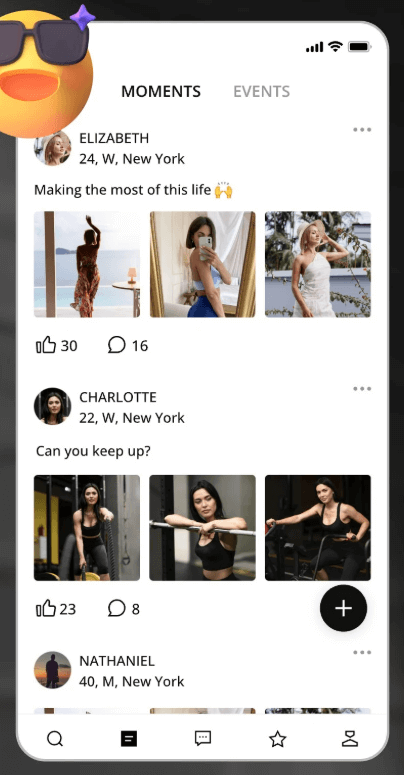
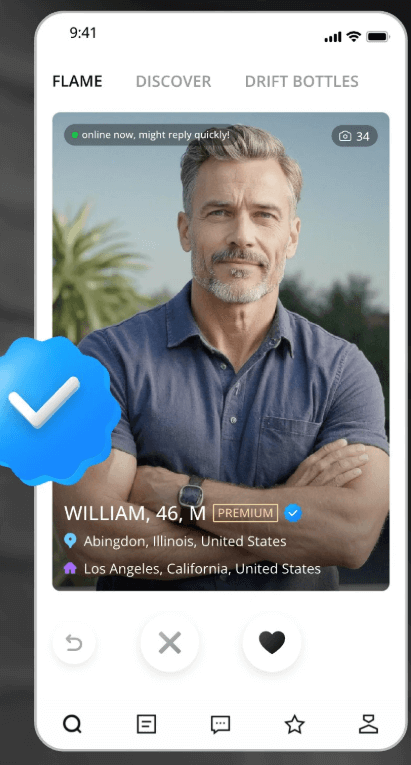
The app is optimized for quickly browsing profiles on a smaller screen. You can easily see a member's main photo, age, location, and verification status at a glance. This is perfect for daily discovery and checking out new members in your area. However, the small screen can encourage snap judgments, so it's still important to tap through to read the full profile before making a decision.

Advanced Search Filters

The powerful search filters from the desktop site are available on the mobile version. You can filter by location, age, income, lifestyle preferences, and verified status. This allows you to narrow down the user base to find exactly what you're looking for, saving significant time compared to endlessly swiping on less focused apps. This feature is consistently praised in professional reviews.

Winks

Sending a "Wink" is a low-pressure way to show interest without having to craft a full message. It's a great icebreaker, especially if you're unsure what to say first. The Google Play listing for the SDM app mentions the ability to send unlimited free winks, making it a useful tool for all members to initiate contact and gauge mutual interest before committing to a conversation.

Messages and Replies

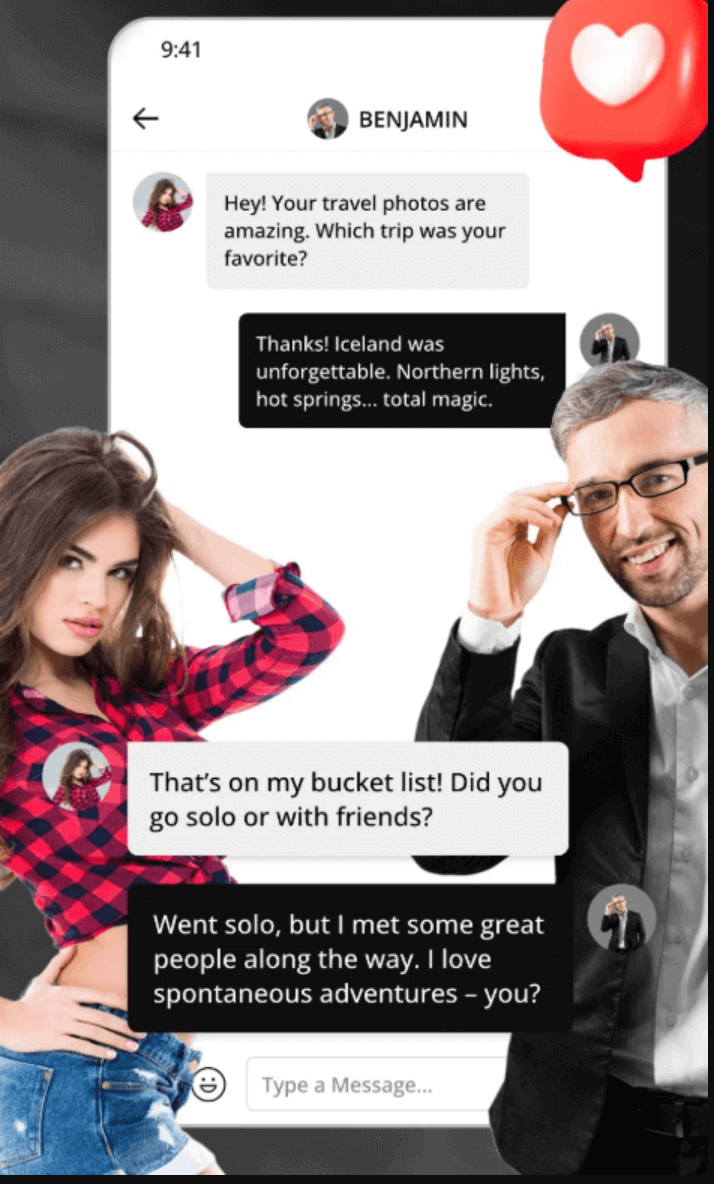
The app excels at making communication fast and convenient. You can get instant notifications for new messages and reply quickly, keeping conversations flowing. The ability to reply to messages from others is a key feature. However, remember that initiating conversations may require a premium membership. Always check the limits of your account type.

Anonymous Chat

For privacy-conscious users, the anonymous chat feature is a valuable tool. It allows you to communicate without revealing your main profile details immediately. This is useful for initial conversations while you are still feeling out a potential match. Never share personal contact details, financial information, or your workplace in any chat, especially an anonymous one.

Verified Members

The app prominently displays verification badges, allowing you to quickly identify members who have completed the verification process. This is a crucial trust signal that helps filter out potential fakes or scammers. While it's not a 100% guarantee of safety, prioritizing communication with verified members is a smart strategy for a safer online dating experience.

Activity and Notifications

The app allows you to easily check your activity feed to see who has viewed your profile, sent you a wink, or updated their own profile. Push notifications can help you respond to messages promptly, but they can also be a privacy risk on a shared or unsecured device. Be sure to configure your notification settings to protect your privacy.

Photo and Profile Management

You can easily upload new photos, edit your bio, and manage your privacy settings directly from the app. Uploading photos from your phone is convenient, but always ensure they are high-quality and adhere to the platform's rules. Avoid uploading overly revealing images, photos with illegal content, or anything that shows personal identifying information.

SugarDaddyMeet App vs. Desktop Website

Feature SDM App / Mobile Desktop Website Best Choice
Profile Browsing Fast and convenient for daily discovery. Easier to read full details and see larger photos. Mobile for quick browsing, desktop for careful review.
Search Filters Easy to apply for daily, on-the-go searches. Better for complex, multi-criteria searches. Desktop for initial deep searches, mobile for quick checks.
Messaging Best for quick replies and staying in touch. Better for writing long, thoughtful first messages. Mobile for daily chat, desktop for important conversations.
Photo Upload Very convenient for uploading from your phone's gallery. Easier to organize albums and select high-resolution shots. Both are effective.
Privacy Settings Good for making quick changes, like hiding your profile. More comfortable for a thorough review of all settings. Desktop for initial setup, mobile for quick adjustments.
Safety Review Harder to spot red flags on a small screen. Easier to compare profiles and research a potential match. Desktop before making any serious decisions.

The best strategy is to use both platforms for what they do best. Use the mobile app for daily maintenance: checking messages, browsing new members, and sending winks. Use the desktop website for more intensive tasks like detailed profile editing, carefully reviewing potential matches, and managing your privacy and security settings. This hybrid approach gives you both convenience and control.

Who Should Use the SugarDaddyMeet App?

Busy Sugar Daddies

For busy professionals, the app is an efficiency tool. It allows you to quickly check messages between meetings, browse new profiles during a commute, and manage your dating life without being tied to a computer. The ability to respond promptly can make a significant difference in maintaining momentum with a potential match.

Active Sugar Babies

For sugar babies who are actively communicating with multiple potential partners, the app is essential. It provides instant notifications for new messages, making it easy to stay engaged and responsive. It also simplifies photo management and profile updates, allowing you to keep your profile fresh and attractive to new visitors.

Privacy-Focused Users

The mobile app gives you the power to manage your privacy on the fly. You can quickly hide your profile if you need to take a break, adjust photo visibility, or block a user immediately after a conversation. This level of control is crucial for maintaining discretion and peace of mind in the world of online dating.

Traveling Users

If you travel frequently, the app is the best way to explore the dating scene in your destination city. You can update your location and use the search filters to find local members, whether you are planning a trip or have already arrived. Just be mindful of your location privacy settings to protect your personal security while on the move.

New Members Testing SDM

For those new to SugarDaddyMeet, the mobile experience is a great way to get a feel for the platform. You can create a profile, browse members in your area, and understand the basic functionality before deciding whether to commit to a premium subscription. It serves as a low-commitment entry point to the SDM ecosystem.

SugarDaddyMeet App Login: How to Sign In Smoothly

Logging into your account on a mobile device should be simple, but issues can occasionally arise. Following the correct steps and knowing how to troubleshoot common problems can ensure you always have access to your account.

Login Steps:

  1. Open the App: Tap the SDM icon on your home screen or open the site in your mobile browser.
  2. Enter Credentials: Carefully type your registered email and password. Passwords are case-sensitive.
  3. Complete Verification: If a CAPTCHA appears, complete it to prove you're not a bot.
  4. Use Password Reset: If you can't remember your password, use the "Forgot Password" link rather than guessing multiple times, which could temporarily lock your account.

Common Login Issues & Fixes:

  • Wrong Password: This is the most common issue. Double-check for typos or use the password reset function.
  • Too Many Failed Attempts: If you fail to log in too many times, your account may be temporarily locked for security. Wait 15-30 minutes before trying again.
  • CAPTCHA Not Loading: This can be caused by a slow internet connection or a browser issue. Refresh the page or try a different network.
  • Password Reset Email Not Arriving: Check your spam or junk folder. If it's not there, whitelist the SugarDaddyMeet email address and request the reset again.
  • Account Flagged: If your account was flagged for suspicious activity or a rule violation, you may need to contact customer support to resolve the issue.
A smartphone screen showing a login page with email and password fields.

SugarDaddyMeet App Safety and Privacy Tips

Using a dating app on your phone requires extra vigilance. Your phone contains a wealth of personal data, so protecting it is paramount. Follow these tips to enhance your safety and privacy while using the SDM app.

Use the Official Download Path

Only use the official methods described in this guide: the "Add to Home Screen" feature for iPhone and the official APK download link from the SugarDaddyMeet website for Android. Never download an APK from a third-party site.

Use a Private, Secure Phone

Avoid logging into your dating accounts on a shared or work device. Use a personal phone protected by a strong passcode, fingerprint, or facial recognition to prevent unauthorized access.

Manage Notifications Carefully

Push notifications can be a major privacy risk, as they can display message previews on your lock screen. Go into your phone's settings and disable notification previews for the SDM app to maintain your discretion.

Use a Strong, Unique Password

Do not reuse passwords from other websites. Create a strong, unique password for your SugarDaddyMeet account to protect it from being compromised if another site you use suffers a data breach.

Check App Permissions

When installing the Android app, review the permissions it requests. Be cautious if it asks for access to contacts, microphones, or other data that doesn't seem necessary for a dating app's core functionality.

Don't Move Off-Platform Too Fast

Scammers often try to move the conversation to an unmonitored platform like WhatsApp or email as quickly as possible. Keep your initial conversations on the SDM platform, where you are protected by its reporting and blocking tools.

Disclaimer: SugarDaddyMeet states that it does not conduct criminal background checks on its members. It is your responsibility to be cautious and use your own judgment. The platform is for users aged 20 and over and does not support escorting or prostitution.

Common SugarDaddyMeet App Problems and Fixes

Problem Possible Reason Fix
Cannot find iPhone app in App Store iOS uses the web app (PWA) flow, not a native App Store app. Use Safari to visit the official site and select "Add to Home Screen" from the Share menu.
Android APK won't install Your device is blocking installations from "unknown sources." Go to your Android settings and allow installations from your browser. Only do this for the official APK.
Login keeps failing Wrong password or a temporary security lock from too many attempts. Double-check your password (it's case-sensitive) or wait 15-30 minutes before trying again. Use the "Forgot Password" link if needed.
Messages not updating Poor internet connection or a session issue. Close and reopen the app, check your WiFi or cellular data, or try signing out and signing back in.
Password reset email missing It was filtered into your spam or junk folder. Check your spam folder and mark the email as "not spam." Add the sender to your contacts to prevent it from happening again.
App feels slow Could be your network, an older phone, or a full cache. Try a different network, clear your browser/app cache, and make sure your phone's operating system is up to date.

SugarDaddyMeet App Pros and Cons

Pros

  • Fast Mobile Access: The app is perfect for quick, daily check-ins on messages and new profiles.
  • Convenient Communication: Replying to messages and sending winks is faster and easier on mobile.
  • Easy Profile Browsing: The interface is optimized for swiping and scrolling through potential matches.
  • Official APK for Android: Android users can get the native app experience directly from the official source.
  • iPhone Home Screen Shortcut: The web app provides an app-like experience without needing the App Store.
  • Good for Daily Use: It keeps you connected and engaged with your dating life from anywhere.

Cons

  • Limited iOS App Store Availability: The lack of a consistent App Store presence can be confusing for iPhone users.
  • APK Installation Requires Care: Android users must be careful to only use the official source to avoid security risks.
  • Privacy Risks with Notifications: Push notification previews can compromise your privacy if not configured correctly.
  • Small Screen Limitations: It can be harder to read long profiles or spot red flags on a small screen.
  • Feature Access Depends on Account: Key features like initiating messages are often tied to a premium subscription.
  • Setup Can Change: The availability and installation methods for both platforms can change over time.

What Review Sites Say About the SugarDaddyMeet App

Public opinions about the SDM app are mixed but useful. Professional review sites tend to focus on features and usability, while user discussions on forums like Reddit often mention speed, profile quality, and convenience. It's helpful to synthesize these different perspectives.

  • DatingSites.com gives the app high marks for usability (4.0/5) and features (4.0/5), praising its modern chat functions and easy navigation. This indicates that from a technical standpoint, the app is well-built and provides the necessary tools for online dating.
  • DatingScout emphasizes the value of seeing verified members on the app, which adds a layer of trust. However, they also note that some profiles can lack detail, a common theme that reinforces the need for users to be selective.
  • Reddit discussions provide more anecdotal feedback. Users often praise the clean UI and the convenience of managing messages and profiles from their phone. However, they also echo concerns about the speed of results and the presence of scammers, treating it as a useful but imperfect tool.
  • PrivateSugarClub has previously noted that the app is free to download but has also highlighted the different installation paths for iPhone and Android, reminding users to be cautious. Their focus on safety is a good reminder to always use the official download sources.

Our Take: The consensus is that the mobile experience is a functional and convenient tool for daily use. While not perfect, it successfully translates the core features of the desktop site to a mobile format. The key is to use it with an understanding of its limitations and to follow security best practices.

A collage of different review site logos.

SugarDaddyMeet App FAQ

Does SugarDaddyMeet have an app?

Yes, but the access method depends on your device. For Android, there is an official APK file you can download from the website. For iPhone, the primary method is to use the mobile-optimized website in Safari and add a shortcut to your home screen, which functions like a web app.

Is SugarDaddyMeet on the iOS App Store?

Its availability on the iOS App Store can vary and it is often not listed. The official, recommended method for iPhone users is to use the "Add to Home Screen" feature in Safari. This provides an app-like experience without needing an App Store download. Always check the official website for the most current instructions.

How do I add SugarDaddyMeet to my iPhone home screen?

Open the SugarDaddyMeet website in Safari, log in, tap the "Share" icon (a square with an arrow), and select "Add to Home Screen" from the menu. This will place an SDM icon on your home screen for direct access.

How do I download the SugarDaddyMeet Android app?

Log in to the SugarDaddyMeet website on your Android browser, navigate to your profile, and find the link that says "Install Our App Now." This will allow you to download the official APK file. You will need to grant your browser permission to install apps from unknown sources.

Is the SDM APK safe to install?

The official APK file downloaded directly from the SugarDaddyMeet website is safe. However, you should NEVER download the APK from any third-party website, as these files can be modified to include malware or viruses. Stick to the official source only.

Can I use SugarDaddyMeet without downloading an app?

Absolutely. The SugarDaddyMeet website is fully functional on mobile browsers like Safari and Chrome. You can access all the key features, including messaging, searching, and profile editing, directly through the browser without installing anything.

What can I do on the SDM app?

The app allows you to perform all the essential functions of the platform: browse and search for profiles, send and receive messages and winks, upload photos, edit your profile, and manage your privacy settings. It is designed for active, on-the-go management of your dating life.

Can I send winks on mobile?

Yes, sending winks is a core feature of the mobile experience. It's a quick and easy way to show interest in another member directly from your phone. According to the app's description, you can send unlimited free winks.

Can I reply to messages on the app?

Yes, replying to messages is a key function of the app. However, initiating a new conversation with someone who hasn't contacted you first typically requires a premium membership. The free membership usually allows you to reply to messages sent by premium members.

Why can’t I log in on mobile?

The most common reasons are entering the wrong password (it's case-sensitive) or having your account temporarily locked due to too many failed attempts. Other potential issues include a poor internet connection or a browser/app cache problem. Try resetting your password or waiting 15-30 minutes before trying again.

Is the SugarDaddyMeet app safe for privacy?

The app itself is safe if you download it from the official source and use a secure password. However, mobile devices introduce unique risks. You must manage your notification settings to hide message previews, avoid using public WiFi for logging in, and be careful about the permissions you grant the app to protect your privacy.

Should I use the app or desktop website?

The best approach is to use both. Use the app for daily tasks like checking messages and browsing new profiles. Use the desktop website for more detailed activities like carefully reading long bios, conducting in-depth searches, and performing your initial privacy and security setup.

Final Verdict: Should You Use the SugarDaddyMeet App?

Yes, the SugarDaddyMeet app and mobile access solutions are worth using, especially for anyone who is serious about actively managing their dating life. The convenience of checking messages, browsing profiles, and replying on the go is a significant advantage. For iPhone users, the web app with the home screen shortcut is a clever and privacy-focused solution, while the official APK for Android provides a true native app experience.

The best strategy is a hybrid one: use the mobile app for daily communication and the desktop site for more detailed tasks like profile setup and in-depth vetting of potential matches. Always prioritize safety by using the official download paths, managing your privacy settings, and being cautious about who you talk to. The app is a powerful tool, but it's most effective when used with care and common sense.